

Provisioning the Component
Users with access to the Solutions page can request access to Xpress Workbench from the DMP CATALOG.
Adding a component
- In the CATALOG, click the ADD button for the component you require.
 Note Depending on the component you select, you may see an intermediate Overview screen displayed-In this case, click the ADD button on that screen.
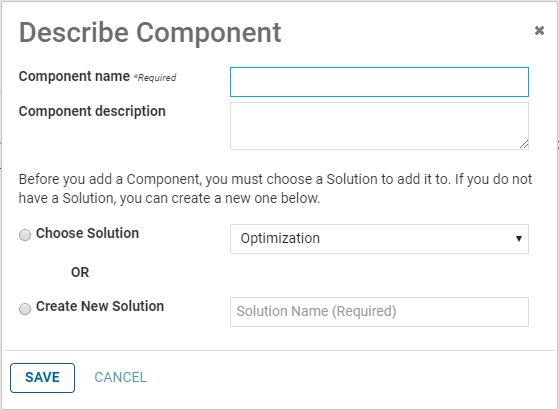
 - In the Describe Component dialog, enter the Component name and an optional Component description. This feature enables you to distinguish between multiple instances of the same component when they are deployed to a single Solution. Select whether to add the Component to an existing Solution or create a new Solution.
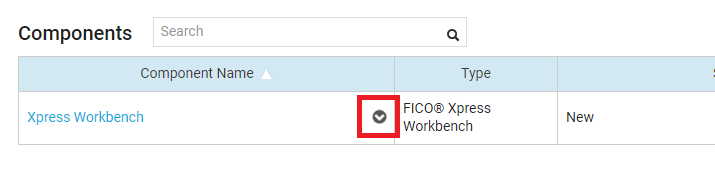
Successfully provisioned components are displayed in the list of components. Immediately next to the component name is an arrow icon that opens the
Component Settings menu.
© 2001-2020 Fair Isaac Corporation. All rights reserved. This documentation is the property of Fair Isaac Corporation ("FICO"). Receipt or possession of this documentation does not convey rights to disclose, reproduce, make derivative works, use, or allow others to use it except solely for internal evaluation purposes to determine whether to purchase a license to the software described in this documentation, or as otherwise set forth in a written software license agreement between you and FICO (or a FICO affiliate). Use of this documentation and the software described in it must conform strictly to the foregoing permitted uses, and no other use is permitted.